
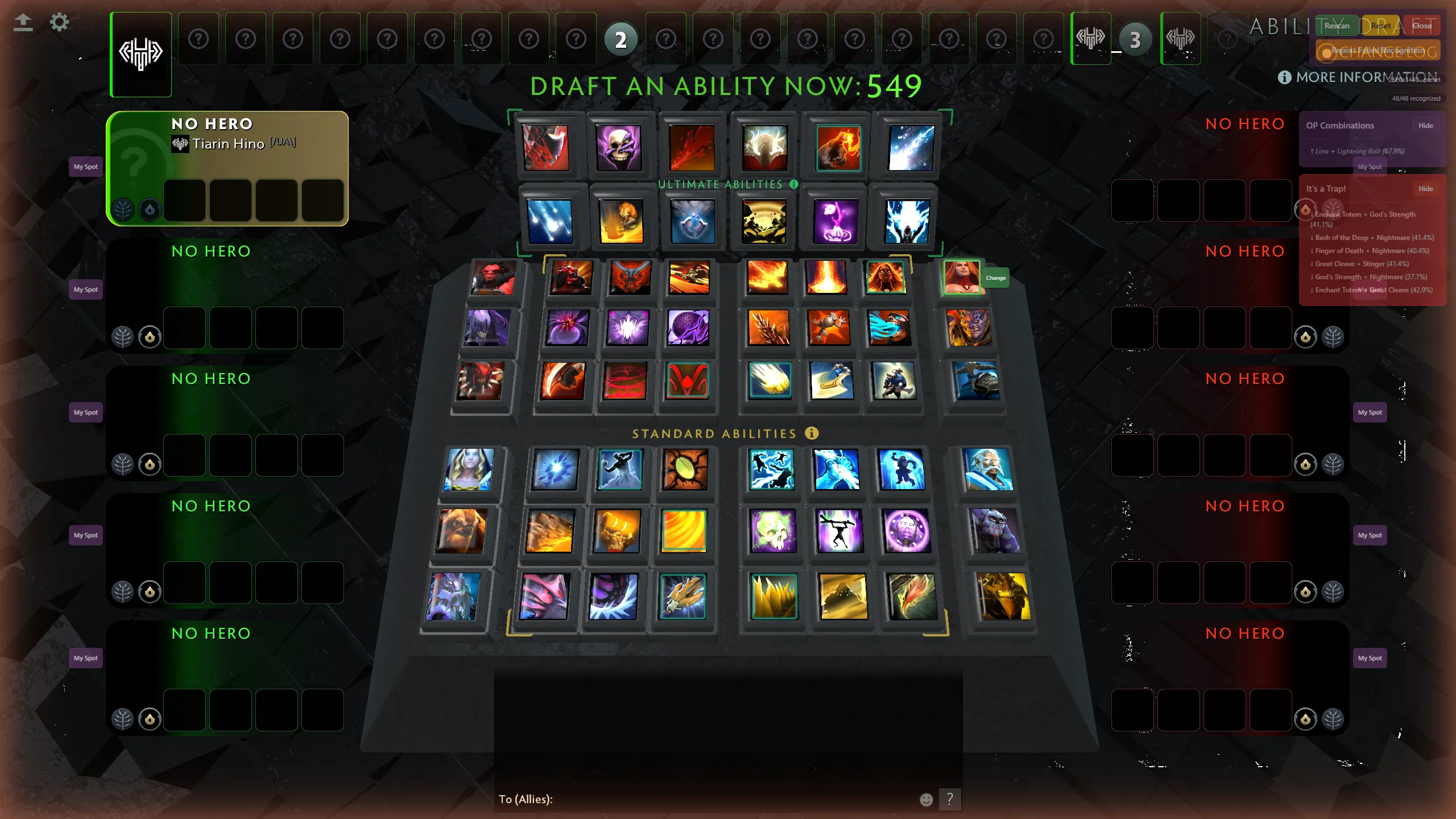
One-click board scan
Hit Initial Scan or Ctrl+Shift+S and a MobileNetV2 model classifies every ability icon on the board in about a second. Unrecognized slots are marked honestly instead of guessed.
Free & open source · Windows
Ability Draft Plus reads the draft board with on-device machine learning and overlays win rates, synergies, and trap warnings — right on top of Dota 2.
~525
abilities recognized on the board
48
draft slots scanned in one click
28
resolution presets, plus calibration
100%
of the ML runs on your PC
Press one hotkey when the draft starts. The overlay does the rest.
Hit Initial Scan or Ctrl+Shift+S and a MobileNetV2 model classifies every ability icon on the board in about a second. Unrecognized slots are marked honestly instead of guessed.
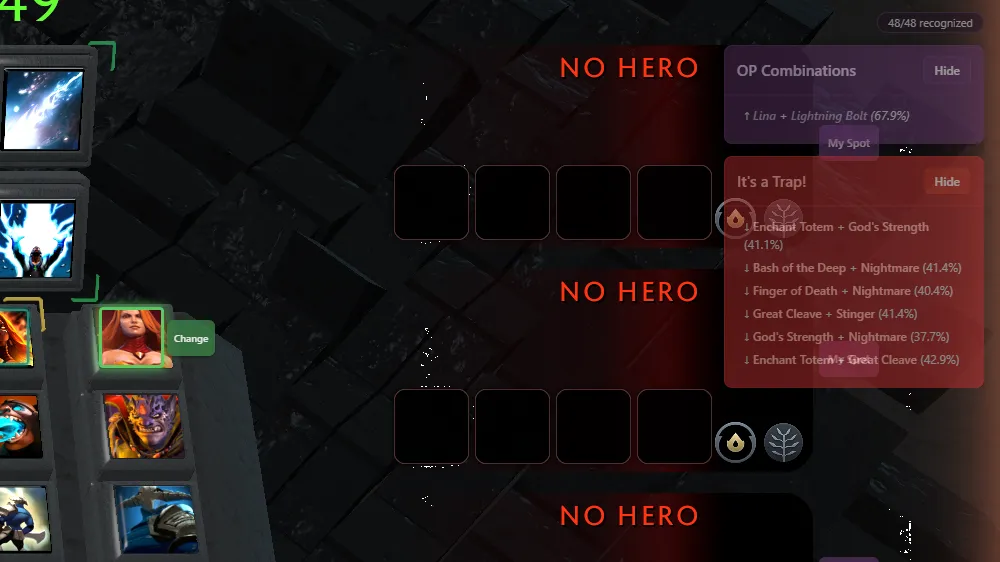
Dedicated panels surface overpowered ability pairs still in the pool — and warn you about combos that look tempting but statistically underperform.
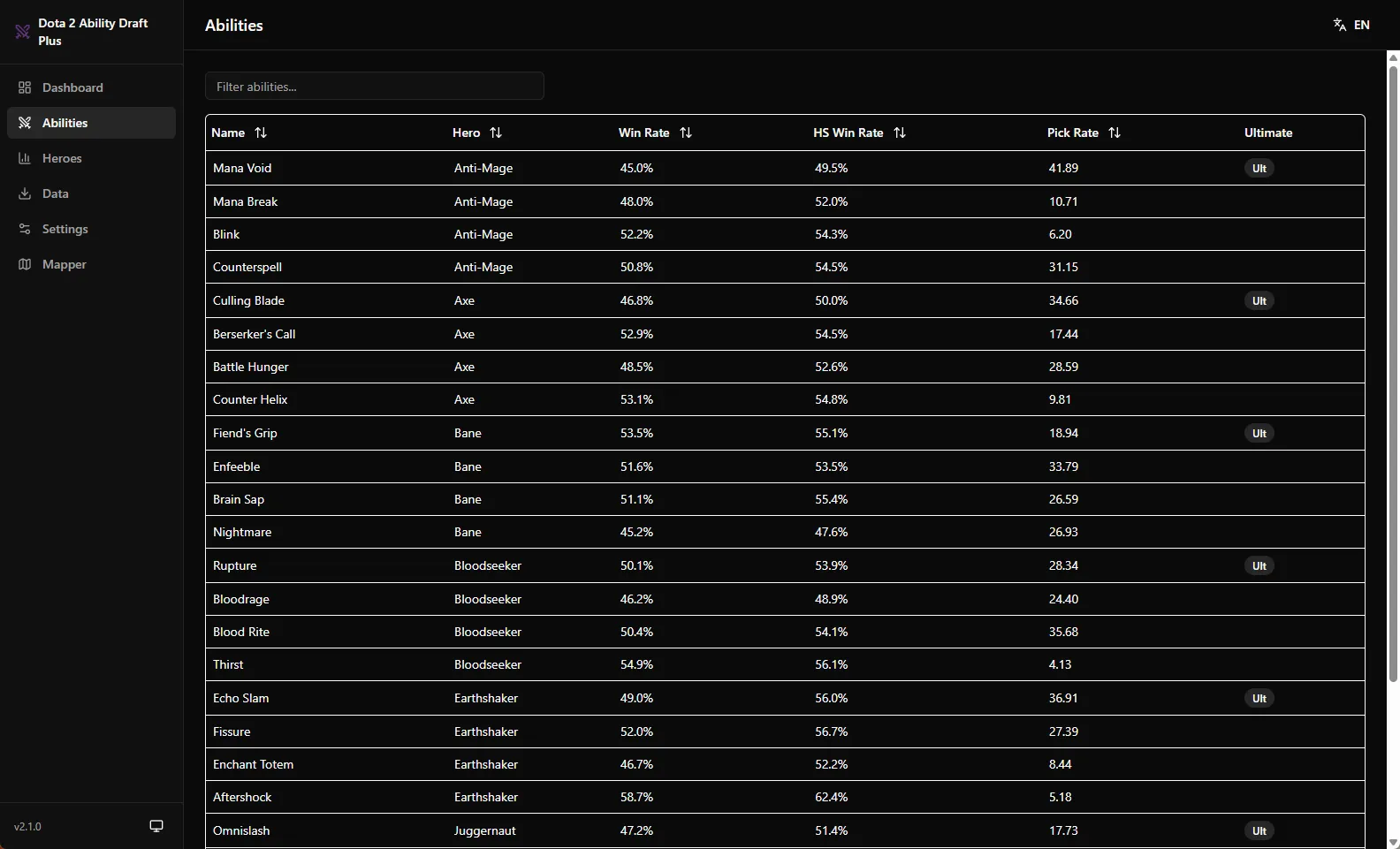
Tooltips show win rate, pick rate, high-skill stats, and the strongest ability and hero synergies for everything in the draft — updated from Windrun.io on demand.
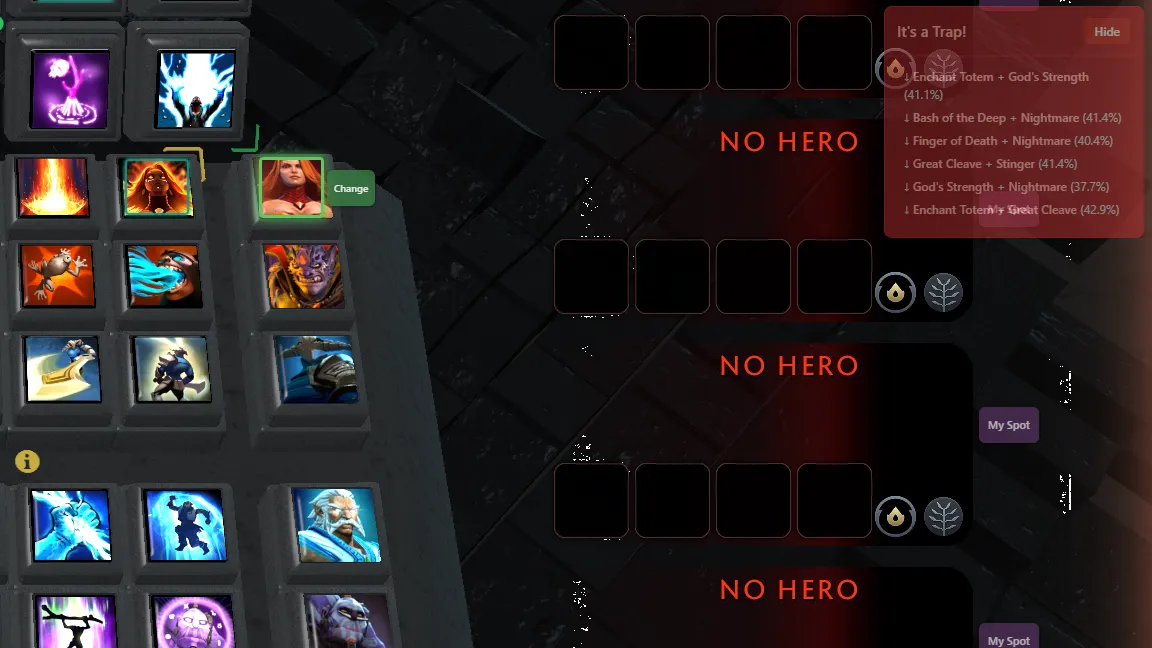
Mark where you sit and which hero model you drafted. Suggestions adapt to your picks, including combos often drafted as full triplets.
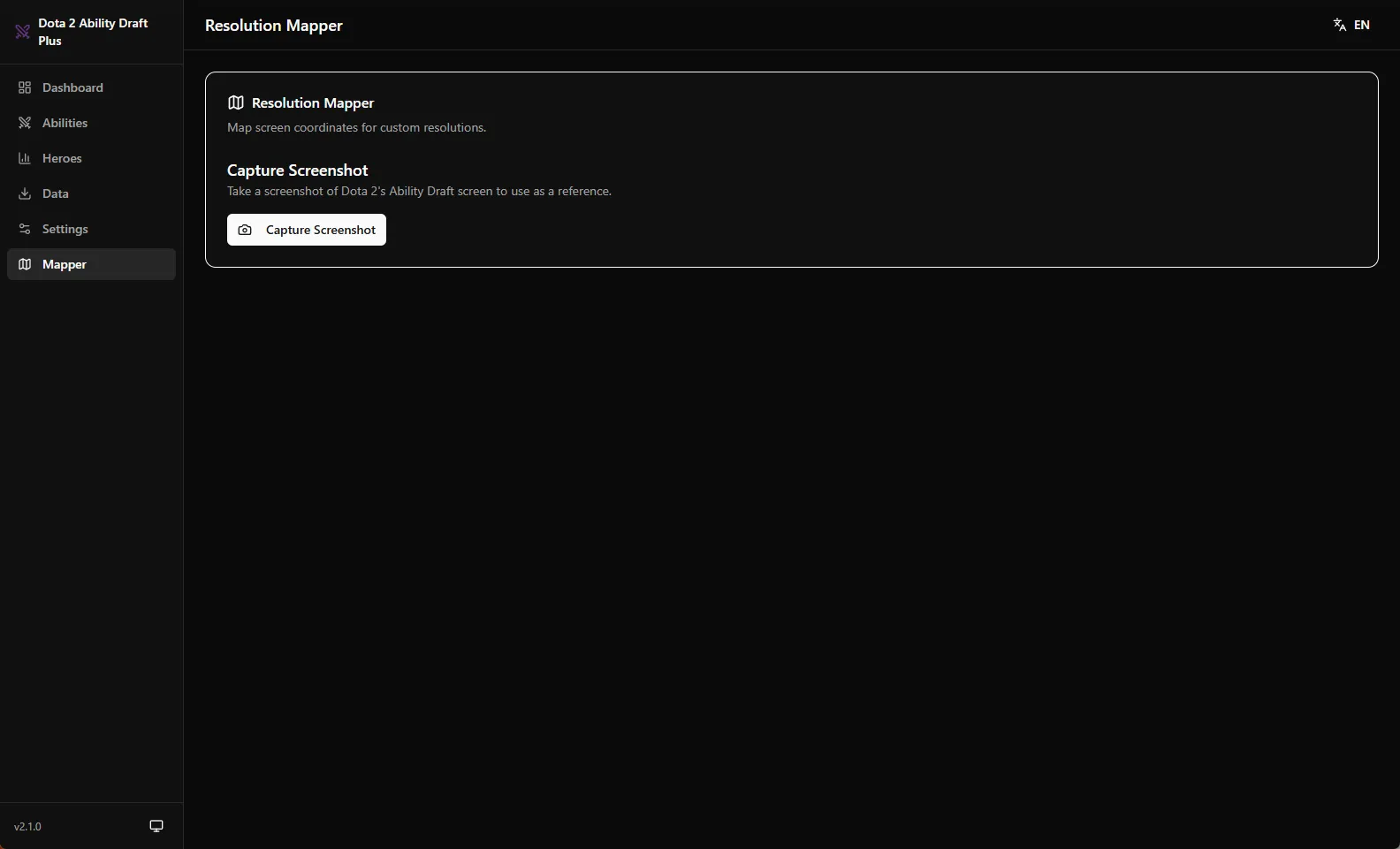
28 bundled layouts from 1280×720 to 4K ultrawide, automatic scaling for everything else, and a 4-click calibration wizard for pixel-perfect alignment.
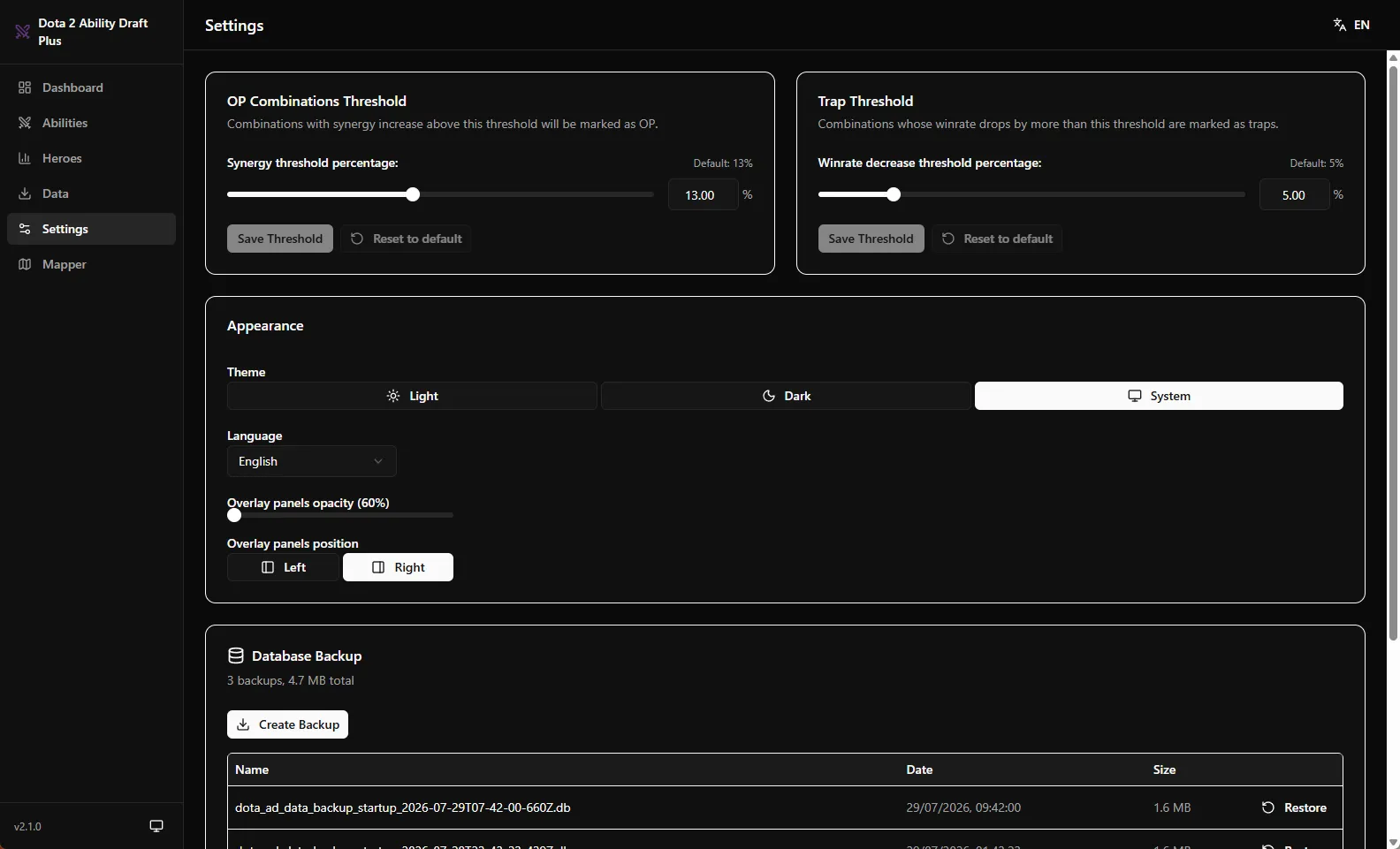
Stats live in a local database you refresh whenever you want. Create and restore backups from Settings. Nothing is synced anywhere.
Tell the app your position — or let it read your team — and the top picks re-rank around your role: farm profiles measured from real drafts, build needs, community verdicts and hero-body fit.
Read how suggestions work →Launch Ability Draft Plus, click Activate Overlay, and queue for Ability Draft as usual.
When the draft appears, press Ctrl+Shift+S. Recognition takes about a second — rescan any time with Ctrl+Shift+R.
Hover abilities for stats, follow the shimmering highlights for top picks, and check the OP and Trap panels before locking in.
Ctrl + Shift + S
Ability Draft Plus behaves like a screenshot tool, not like a cheat. It looks at your screen — never inside the game.
Read the full safety & privacy breakdownNo ads, no subscriptions, no paywalled features. If Ability Draft Plus wins you drafts, two Ko-fi buttons keep it alive.
Built and maintained in spare time — your coffee funds new features, model retrains, and the servers behind this site.
Buy me a Ko-fiEvery win rate and synergy in the overlay exists thanks to Windrun.io, run by the datdota team. They deserve your love just as much.
Support datdotaThe overlay is an ordinary always-on-top window. It captures your screen the same way OBS or Discord do, never touches the Dota 2 process, files, or memory, and never automates any input. There is nothing for anti-cheat to detect beyond a normal desktop app. That said, no third-party tool can promise the impossible — read the Safety page for a precise breakdown of what the app does.
From Windrun.io's public API — win rates, pick rates, high-skill splits, pair and triplet synergies. You fetch updates on demand with one button; everything is stored in a local database on your PC.
28 resolutions ship as hand-tuned presets, from 1280×720 to 3840×2160 including ultrawide. Anything else is auto-scaled from the nearest layout, and a 4-click calibration wizard lets you fine-tune alignment for any setup.
The slot is marked with an amber dashed border instead of a wrong guess. You can rescan, and one click on "Report Failed Recognition" saves a snapshot you can share to help train the next model version.
Yes — free and open source. If it wins you a few drafts, you can support development on Ko-fi, and consider supporting datdota, whose Windrun.io data makes the stats possible.
The app checks GitHub Releases in the background, but downloading and installing an update always requires your click. The ML model improves with app updates, partly thanks to user-reported recognition failures.
Download the overlay, queue up, and see the board the way the stats see it.